What Is an HWP File? How to Open, Edit and Convert One

HWP is the native file format of Hangul (한글), a word processor made by the Korean company Hancom (한글과컴퓨터). Source: UK National Archives PRONOM.

✓Reviewed by the Seoulstart teamLast updated · November 2026~8 min read
✓

Verified against 16 primary sources. Fact-checked November 2026. Every figure linked to its source.

We'll email you when we update the facts in this guide.

Key facts

  • HWP is the native file format of Hangul (한글), a word processor made by the Korean company Hancom (한글과컴퓨터). Source: UK National Archives PRONOM.
  • Hangul 2002 and later save HWP 5.0 files. Hancom also published older HWP 2.x and 3.x formats. Source: Hancom file format documents.
  • HWPX is the newer, open version of the format. It stores a document as XML files inside a ZIP container and is based on the Korean standard KS X 6101 (OWPML). Source: Hancom, Korean Standards Information Center.
  • Hancom Office Viewer is free for personal, non-commercial use. Companies and organizations need written approval from Hancom. Source: hancom.com.
  • Hancom Docs has a free plan and paid plans. Prices are on Hancom's page.
  • ONLYOFFICE Docs 8.3 (February 2025) added support for opening .hwp and .hwpx files. Editing converts the file to Word-type formats, and formatting can shift. Source: onlyoffice.com.
  • Microsoft's HWP converter for Word lists Word 2007 to 2013. Microsoft does not list newer Word versions or Mac. Source: Microsoft Download Center.
  • Seoulstart's HWP tools run in your browser. Your file is not sent to Seoulstart, the limit is 100 MB, and files from Hangul 97 and earlier (HWP 3) do not open. Source: Seoulstart HWP tools.
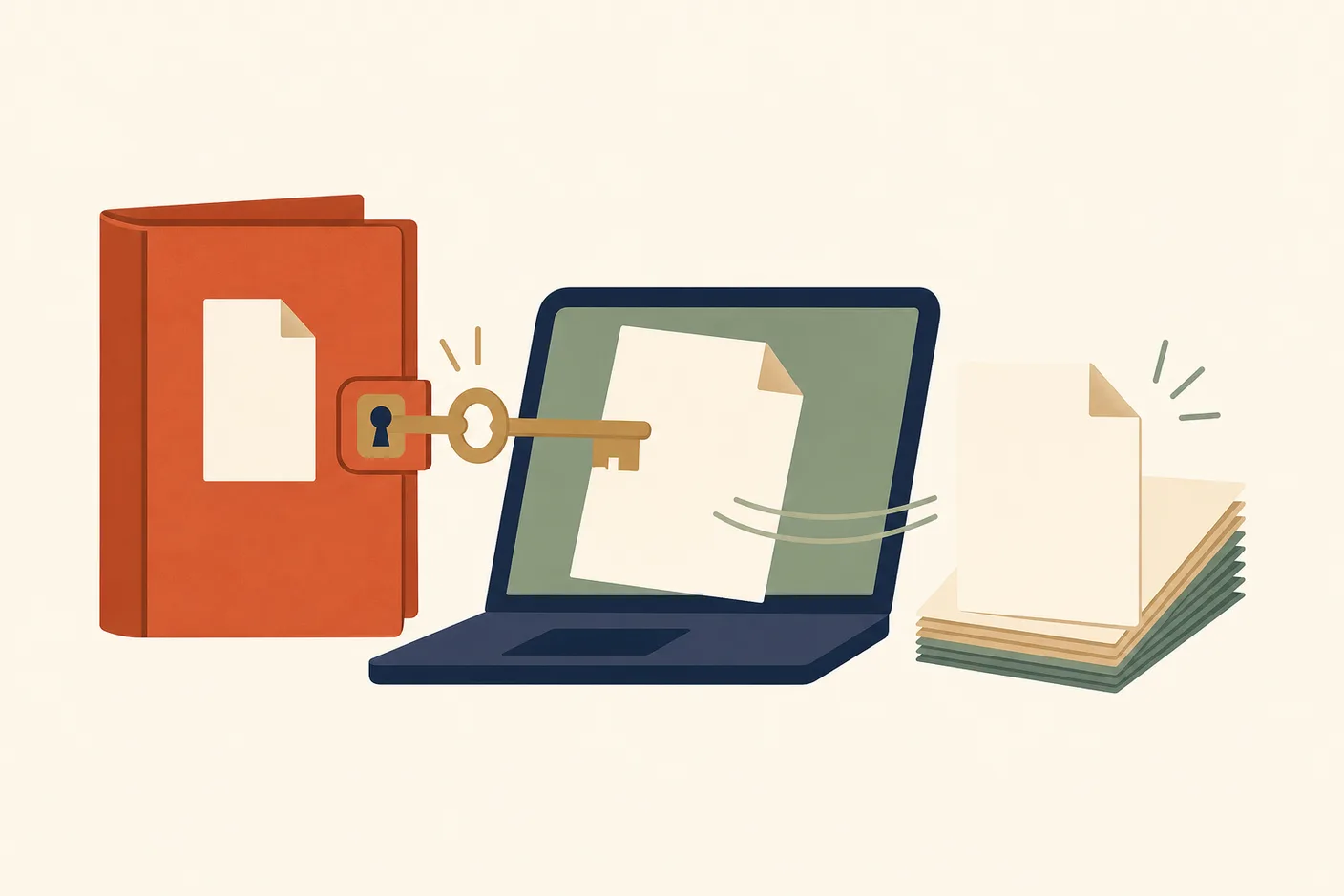
Illustration of a closed paper folder with a blank document icon on its cover, a large key unlocking the folder's clasp, the document sliding out onto an open laptop screen, a second blank page beside it fanning into a stack
ShareWhatsAppTelegramEmailSend it to someone who'd find it useful.

You got a .hwp file from a Korean school, office, employer, or landlord, and your computer does not know what to do with it. The fastest fix is to open it in your browser with Seoulstart's HWP viewer. You do not need to install anything.

An HWP file is a document made in Hangul (한글), a word processor from the Korean company Hancom (한글과컴퓨터). Word does not open it by default. This guide covers how to open one, edit it, turn it into PDF or Word, and send an answer back.

What are HWP and HWPX files?

FormatExtensionWhat it is
HWP.hwpThe native Hangul format. Hangul 2002 and later save HWP 5.0 files.
HWPX.hwpxThe newer, open format. It keeps the document as XML files inside a ZIP container.

HWPX follows Korean standard KS X 6101, also called OWPML (개방형 워드프로세서 마크업 언어). Hancom has saved .hwpx files since its HWP 2010 version.

Hancom also published older HWP 2.x and 3.x formats. Files in those old formats can fail to open. See the troubleshooting section below.

What can you do with an HWP file?

You want toUse
Read itHWP viewer
Send or print it as a PDFHWP to PDF
Edit it in WordHWP to Word
Fill in a formHWP viewer (click the page and type)
Send a Word file as HWPWord to HWP
Turn a PDF into HWPPDF to HWP

How do you open an HWP file?

You have six options. The table starts with Seoulstart's own tool.

OptionCostWorks onWatch out for
Seoulstart HWP toolsFree, no sign-upBrowser on phone or computerHWP 3 files do not open. 100 MB limit.
Hancom Office ViewerFree for personal, non-commercial useWindows, Mac, Android, iPhone, iPadWindows version shows ads and lists Windows 11 or later
Hancom DocsFree plan or paid plans (see Hancom's page)Web, plus a mobile app and some paid-plan desktop features (see Hancom's plans page)Free plan limits are on Hancom's page
ONLYOFFICE Docs 8.3 or laterSee ONLYOFFICE's siteDepends on your setupEditing converts the file and formatting can shift
LibreOffice with H2OrestartLibreOffice and the extension are both free softwareWindows, Mac, LinuxCommunity extension. Needs Java 8 or later. Saves only as ODT.
Microsoft Word converterDownload from MicrosoftWord 2007 to 2013 (see Microsoft's page for Windows versions)Microsoft does not list newer Word or Mac

Seoulstart's browser tools

The HWP viewer opens HWP files from Hangul 2002 and later, HWPX files, PDF files, and Word .docx files. It runs in your browser. Your file is not sent to Seoulstart or to anyone else.

There is no sign-up, no watermark, and no limit on the number of files. The size limit is 100 MB. The first time you use it, your browser downloads about 4 MB of converter code.

The tool reads the file itself, not its name. A file named .hwp that is really .hwpx still opens.

The viewer shows the pages the way Hangul lays them out. The preview uses fonts on your device, so the lettering can look a little different from Hangul. You can then save a copy as PDF, Word, JPG, PNG, or text.

Files from Hangul 97 and earlier (HWP 3 and older formats) do not open in this tool.

Hancom Office Viewer

Hancom Office Viewer (한컴오피스 뷰어) is Hancom's own viewer. Hancom's product page says anyone can use it free of charge for personal, non-commercial use. Companies and organizations need written approval from Hancom.

Hancom's download page lists one Windows viewer. It says the operating system must be Windows 11 or later, and that ads appear on screen while you use it. The product page also lists downloads for Mac, Android, and iOS.

On iPhone and iPad, the App Store app is Hancom Office Viewer (한컴오피스 Viewer). It is free and opens .hwp and .hwpx files. On Android, Hancom's page for Hancom Office for Android says it opens .hwp and .hwpx files and can save as HWP, HWPX, or PDF.

Hancom Docs

Hancom Docs (한컴독스) is Hancom's web-based office service. It has a free plan with 2 GB of storage, a personal plan, and a business plan. Prices are on Hancom's page. Personal plans are for personal use. An organization needs the business plan.

ONLYOFFICE

ONLYOFFICE Docs 8.3, released in February 2025, added support for opening .hwp and .hwpx files. When you edit, ONLYOFFICE converts the file to a Word-type format (OOXML). ONLYOFFICE says full formatting match is not guaranteed.

LibreOffice

LibreOffice has no reliable built-in support for current HWP files. LibreOffice's own documentation says its old filter was written for an older version of the format and can corrupt newer files.

H2Orestart, a community extension listed on the LibreOffice Extensions site and published on GitHub by ebandal, adds .hwp and .hwpx support. It needs Java (JRE 8 or later) and can save only as ODT. If you are unsure, use a viewer instead.

Microsoft Word

Word does not open HWP files by itself. Microsoft's Hanword (HWP) converter lets Word open them as .docx files. Its download page lists Word 2007 SP2, 2010, and 2013.

Microsoft does not list newer versions of Word or Word for Mac. If you use those, convert the file with HWP to Word first.

How do you convert an HWP file to PDF or Word?

Open HWP to PDF or HWP to Word, choose your file, and select the convert button. The file saves to your downloads folder.

  • PDF keeps page size, tables, images, and page breaks. Seoulstart's PDF uses Nanum Myeongjo and Nanum Gothic in place of Hancom fonts. Text stays searchable and copyable.
  • Word (.docx) gives you text you can edit. Hancom fonts become Batang or Malgun Gothic. Headers, footers, page numbers, and footnotes do not carry over, and text boxes may move. For an exact copy of the layout, use PDF.

Seoulstart's tools also save HWP pages as JPG or PNG images.

How do you edit or fill in an HWP form?

Open the file in the HWP viewer, click the page, and type. You can fill in the blanks on a form, fix a typo, or add lines, and the form's tables stay in place.

Save the result as PDF, Word, JPG, PNG, or text. If you need bold, colors, or new tables, open the file in Hangul or convert it to Word and edit it there.

How do you send an HWP file back?

First, ask the office what format it wants. Do not assume PDF is accepted. Each school, employer, or landlord decides.

  • They want HWP. Write in Word, then use Word to HWP. It takes .docx files only. Underline, Word colors, and exact fonts are not kept, and the file uses Hangul's default font. Open the result in Hangul and check it before you send it.
  • They sent a PDF and want it back as HWP. Use PDF to HWP. Choose Editable text for letters and forms. Choose Exact look for scans, where each page becomes a picture.
  • They want HWPX. Use the HWP to HWPX tool and check the preview of the result.

Why do you see more .hwpx files now?

Korean press reported in April 2026 that the government plans to promote HWPX in public-sector channels. etnews reported that the central ministries' On-Nara (온나라) document system already required HWPX. 헤럴드경제 (Herald Business) reported that from May 18, 2026, the central and local On-Nara systems accept only open-format attachments.

These reports describe rules for government bodies and their systems. They do not describe rules for what a school, landlord, or employer sends you. Many of them may still send .hwp files. These details come from news reports, not from a government announcement, so treat them as press-reported.

What if your HWP file will not open?

ProblemWhat to do
The file is HWP 3 (Hangul 97 or earlier)Seoulstart's tools do not open it. Try Hancom Office, or ask the sender to save it again as a current .hwp.
The file has a passwordAsk the sender for the password or a PDF. Hancom says nobody can read the file without it.
Seoulstart's tool says the file may be damaged or password-protectedAsk the sender for a new copy or a PDF.
Letters look different or the layout shiftsA missing font is a common cause. Convert to PDF for a fixed layout.
The file is over 100 MBAsk the sender for a smaller file. Seoulstart's tool has a 100 MB limit.

If a file ends in .hwpx, you can also unzip it. HWPX is a ZIP container, so the XML files and any images inside are visible.

Is it safe to use a converter website?

Do not upload private documents (leases, contracts, ID copies) to a website you do not know. Seoulstart's tools convert the file in your own browser, so nothing is sent to Seoulstart or anyone else.

Frequently asked questions

Can I open an HWP file on a Mac? Yes. Seoulstart's tools work in Safari, Chrome, and Firefox on a Mac. Hancom's product page also lists a Mac viewer download.

Can I open an HWP file on an iPhone or Android phone? Yes. Use Hancom's viewer app, or open the file in a phone browser with Seoulstart's tool. Large files take longer on a phone.

What if I only need the text? Open the file in the HWP viewer and save it as text.

What is the difference between HWP and HWPX? HWP is the older Hangul format. HWPX is the newer, open one, built from XML files inside a ZIP container.

Is Hancom Office Viewer free? It is free for personal, non-commercial use. Organizations need approval from Hancom.

What if the file needs a password? Ask the sender. Hancom describes no way to open a protected file without its password.

ShareWhatsAppTelegramEmailSend it to someone who'd find it useful.

Related guides

Frequently asked questions

What is an HWP file?

An HWP file is a document saved by Hangul (한글), a word processor made by Hancom (한글과컴퓨터). Korean offices and government bodies use the format widely. Word does not open it by default.

What is the difference between HWP and HWPX?

Both are Hangul formats. HWP is the older format. HWPX is the newer, open one: it keeps the document as XML files inside a ZIP container and is based on the Korean standard KS X 6101. Hancom has saved .hwpx files since its HWP 2010 version.

How do I open an HWP file for free?

Use Seoulstart's HWP viewer in your browser, or install Hancom Office Viewer. The viewer is free for personal, non-commercial use. On a phone, Hancom has viewer apps for iPhone and Android, and the browser tool also works.

Show all 8 questions

Can Word open HWP files?

Not by default. Microsoft offers a separate HWP converter, but its page lists only Word 2007 to 2013. For any other Word version or a Mac, convert the file to Word first with a tool like Seoulstart's HWP to Word converter.

How do I convert HWP to PDF or Word?

Open the file in Seoulstart's HWP to PDF or HWP to Word tool, then select the convert button. Your file stays in your browser. PDF keeps the layout best. Word gives you text you can edit, but the layout can shift.

Is Hancom Office Viewer free?

It is free for personal, non-commercial use. A company or organization needs written approval from Hancom. The Windows version shows ads, and Hancom's download page lists Windows 11 or later.

What do I do if an HWP file asks for a password?

Ask the sender for the password, or ask them to send a PDF. Hancom says nobody can open a protected file without its password, and Hancom's help page describes no recovery option. Seoulstart's tool shows an error for files it cannot open.

Why will my old HWP file not open?

The file may be in the old HWP 3 format (Hangul 97 or earlier). Seoulstart's tools do not open these files. Try Hancom Office, or ask the sender to save it again as a current .hwp file.

Fact-check record

139 key claims checked against the exact wording of official sources · Verified November 2026

Show

Our fact-check pulls the most important claims out of this guide and checks each one against its official source, quoted word for word so you can confirm it yourself. This is a sample of the guide's facts, not the full reference list. For everything we consulted, see the verified sources below.

  • 01

    HWP is the native file format of Hangul, a word processor made by the Korean company Hancom.

    “Hangul is a Word Processor application created by South Korean software company Hancom. HWP is the native format.”
    pronom.nationalarchives.gov.uk
  • 02

    Hangul 2002 and later save HWP 5.0 files, and Hancom also published older HWP 2.x and 3.x formats.

    “이전 버전인 HWP 2.x/3.x와 HWP 2002부터 시작하여 HWP 2014, HWP 2018까지 사용하고 있는 5.x 버전을 공개하였으며, HWPML도 같이 공개하였습니다.”
    hancom.com
  • 03

    HWPX is the newer, open version of the HWP format (the .hwpx extension of Hancom's open document format OWPML, supported from HWP 2010).

    “HWP의 개방형 문서 형식인 OWPML은 HWP 2018 버전부터 ".owpml" 확장자로 지원하고 있으며, 하위 버전은 HWP 2010 버전부터 ".hwpx" 확장자로 지원하고 있습니다.”
    hancom.com
  • 04

    HWPX stores a document as XML files inside a ZIP container and is based on OWPML.

    “HWPX is an open document format based on the OWPML Open XML structure. Since it is a structure where multiple XML files and resources are bundled together in a ZIP container,”
    blog.hancom.com
  • 05

    KS X 6101 is the Korean standard for the OWPML document structure (개방형 워드프로세서 마크업 언어).

    “개방형 워드프로세서 마크업 언어(OWPML) 문서 구조”
    standard.go.kr
  • 06

    Hancom Docs has a free plan and paid plans, and Hancom's plans page lists the prices.

    “요금제 무료 개인용 기업용 결제 기간 무제한 월간 연간 월간 연간 결제액 무료”
    support.hancom.com
  • 07

    Microsoft's HWP converter for Word lists Word 2007 (with at least Service Pack 2), 2010 and 2013, and its Download Center page does not list newer Word versions or Mac.

    “Supported Operating System: Windows 7, Windows 8, Windows Server 2008, Windows Server 2012. Microsoft Word 2007 with at least Service Pack 2, Microsoft Word 2010, Microsoft Word 2013”
    microsoft.com
  • 08

    Seoulstart's HWP tools run in your browser and your file is not sent to Seoulstart.

    “The page loads the converter into your browser, and your browser does the work. Your file is not sent to Seoulstart or to anyone else.”
    seoulstart.com
  • 09

    The Seoulstart HWP tools' file size limit is 100 MB.

    “HWP, HWPX, PDF or Word (.docx), up to 100 MB”
    seoulstart.com
  • 10

    Files from Hangul 97 and earlier (HWP 3) do not open in Seoulstart's HWP tools.

    “Files from Hangul 97 and earlier (HWP 3 and older formats) do not open yet.”
    seoulstart.com
  • 11

    HWP is the native file format of Hangul, the word processor made by Hancom, and its files end in .hwp.

    “HWP 2002부터 시작하여 HWP 2014, HWP 2018까지 사용하고 있는 5.x 버전”
    hancom.com
  • 12

    HWPX is the newer, open Hangul format that stores a document as XML files inside a ZIP container and uses the .hwpx extension.

    “HWPX is an open document format based on the OWPML Open XML structure. Since it is a structure where multiple XML files and resources are bundled together in a ZIP container,”
    blog.hancom.com
  • 13

    Hangul is the word processor made by Hancom and it saves HWP and HWPX files.

    “HWP의 개방형 문서 형식인 OWPML은 HWP 2018 버전부터 ".owpml" 확장자로 지원하고 있으며, 하위 버전은 HWP 2010 버전부터 ".hwpx" 확장자로 지원하고 있습니다.”
    hancom.com
  • 14

    Hancom is the Korean software company that makes Hangul and Hancom Office.

    ““한컴오피스 뷰어”는 (주)한컴에서 개발하여 배포하는 한글, 한워드, 한셀, 한쇼 전용 뷰어를 통합한 오피스 전용 뷰어 프로그램입니다.”
    hancom.com
  • 15

    OWPML is the open XML document structure behind HWPX, published as Korean standard KS X 6101.

    “개방형 워드프로세서 마크업 언어(OWPML) 문서 구조”
    standard.go.kr
  • 16

    Hancom Office Viewer is Hancom's viewer for Hangul, spreadsheet and presentation files.

    ““한컴오피스 뷰어”는 (주)한컴에서 개발하여 배포하는 한글, 한워드, 한셀, 한쇼 전용 뷰어를 통합한 오피스 전용 뷰어 프로그램입니다.”
    hancom.com
  • 17

    Hancom Docs is Hancom's web-based office service with free, personal (개인용) and business (기업용) plans.

    “요금제 무료 개인용 기업용 결제 기간 무제한 월간 연간 월간 연간 결제액 무료”
    support.hancom.com
  • 18

    On-Nara (온나라) is the document system Korean government bodies use to write and attach official documents.

    “행안부는 공무원이 사용하는 핵심 문서기안·유통 시스템 온나라시스템 개방형 파일 전환을 조속히 완료할 계획이다.”
    m.etnews.com
  • 19

    A document password set in Hangul stops anyone without it from opening the file.

    “파일에 문서 암호를 지정하여 문서 암호를 모르면 누구도 그 파일 내용을 열어 볼 수 없게 합니다.”
    help.hancom.com
  • 20

    Korean offices and government bodies use the HWP format widely.

    “HWP is a document format that has been widely used in the domestic business environment for a long time, including government official documents, bid proposals, and court documents.”
    blog.hancom.com
  • 21

    Word does not open HWP files by default.

    “a tool which allows you to convert and open HWP files in Word as DOCX files.”
    microsoft.com
  • 22

    Hancom has saved .hwpx files since its HWP 2010 version.

    “HWP의 개방형 문서 형식인 OWPML은 HWP 2018 버전부터 ".owpml" 확장자로 지원하고 있으며, 하위 버전은 HWP 2010 버전부터 ".hwpx" 확장자로 지원하고 있습니다.”
    hancom.com
  • 23

    Hancom offers its Office Viewer for iOS and Android, and Seoulstart's tool works in a phone browser.

    “뷰어 다운로드 Windows Mac Android iOS”
    hancom.com
  • 24

    HWP 3 is the old format of Hangul 97 and earlier, and Seoulstart's tools do not open these files.

    “This file is in the old HWP 3 format (Hangul 97 or earlier), which this tool cannot read yet.”
    seoulstart.com
  • 25

    Seoulstart's tool shows an error for files it cannot open.

    “open_failed:"This file could not be opened. It may be damaged or password-protected."”
    seoulstart.com
  • 26

    Seoulstart says PDF output keeps the layout and Word output gives editable text but the layout can look different.

    “Word and Hangul lay out text in different ways, and Hancom fonts are swapped for fonts Word already has. For an exact copy of the layout, convert to PDF instead.”
    seoulstart.com
  • 27

    Seoulstart's tools work in Safari, Chrome and Firefox on a Mac.

    “Yes. This page works in Safari, Chrome and Firefox on a Mac, with nothing to install.”
    seoulstart.com
  • 28

    Hancom's Office Viewer product page lists a Mac download.

    “뷰어 다운로드 Windows Mac Android iOS”
    hancom.com
  • 29

    Hancom has viewer apps for phones, Seoulstart's tool opens in a phone browser, and large files take longer on a phone.

    “Yes. It works in current versions of Chrome, Safari, Edge and Firefox on phones and computers. Large files take longer on a phone.”
    seoulstart.com
  • 30

    Seoulstart's HWP viewer can save a copy as text.

    “To keep a copy you can open anywhere, save it as PDF, Word, JPG, PNG or text.”
    seoulstart.com
  • 31

    Hancom says nobody can open a protected file without its password.

    “파일에 문서 암호를 지정하여 문서 암호를 모르면 누구도 그 파일 내용을 열어 볼 수 없게 합니다.”
    help.hancom.com
  • 32

    Word does not open HWP files by default.

    “a tool which allows you to convert and open HWP files in Word as DOCX files.”
    microsoft.com
  • 33

    Seoulstart's HWP viewer opens in the browser, so you do not need to install Hangul or any other program.

    “Choose the file on this page. It opens in your browser, so you do not need Hangul or any other program.”
    seoulstart.com
  • 34

    HWP is the native Hangul format and Hangul 2002 and later save HWP 5.0 files.

    “이전 버전인 HWP 2.x/3.x와 HWP 2002부터 시작하여 HWP 2014, HWP 2018까지 사용하고 있는 5.x 버전을 공개하였으며, HWPML도 같이 공개하였습니다.”
    hancom.com
  • 35

    HWPX is the newer, open format that keeps the document as XML files inside a ZIP container.

    “HWPX is an open document format based on the OWPML Open XML structure. Since it is a structure where multiple XML files and resources are bundled together in a ZIP container,”
    blog.hancom.com
  • 36

    KS X 6101 is the Korean standard titled OWPML (개방형 워드프로세서 마크업 언어).

    “개방형 워드프로세서 마크업 언어(OWPML) 문서 구조”
    standard.go.kr
  • 37

    HWPX is based on OWPML, the open document format of HWP.

    “HWPX is an open document format based on the OWPML Open XML structure.”
    blog.hancom.com
  • 38

    Hancom has saved .hwpx files since its HWP 2010 version.

    “HWP의 개방형 문서 형식인 OWPML은 HWP 2018 버전부터 ".owpml" 확장자로 지원하고 있으며, 하위 버전은 HWP 2010 버전부터 ".hwpx" 확장자로 지원하고 있습니다.”
    hancom.com
  • 39

    Hancom also published older HWP 2.x and 3.x formats.

    “이전 버전인 HWP 2.x/3.x와 HWP 2002부터 시작하여 HWP 2014, HWP 2018까지 사용하고 있는 5.x 버전을 공개하였으며”
    hancom.com
  • 40

    The Seoulstart HWP viewer opens HWP files from Hangul 2002 and later, HWPX files, PDF files and Word .docx files.

    “HWP files from Hangul 2002 and later (the HWP 5.0 format), HWPX files, PDF files and Word .docx files.”
    seoulstart.com
  • 41

    The Seoulstart HWP viewer runs in the browser and does not send your file to Seoulstart or anyone else.

    “The page loads the converter into your browser, and your browser does the work. Your file is not sent to Seoulstart or to anyone else.”
    seoulstart.com
  • 42

    There is no sign-up, no watermark, and no limit on the number of files in the Seoulstart HWP tools.

    “There is no sign-up, no watermark and no limit on the number of files.”
    seoulstart.com
  • 43

    The Seoulstart HWP tools' size limit is 100 MB.

    “HWP, HWPX, PDF or Word (.docx), up to 100 MB”
    seoulstart.com
  • 44

    The first time you use the Seoulstart HWP tool, the browser downloads about 4 MB of converter code.

    “Loading the converter (about 4 MB, first time only)…”
    seoulstart.com
  • 45

    Seoulstart's tool reads the file itself, not its name, so a file named .hwp that is really .hwpx still opens.

    “Some files are saved in one format and named with the other. The tool reads the file itself, not its name, so it still converts.”
    seoulstart.com
  • 46

    The Seoulstart viewer shows pages as Hangul lays them out, and the preview uses fonts on your device so the lettering can look different from Hangul.

    “Pages are laid out the way Hangul lays them out, with tables, images and page breaks in place. The preview uses the Korean fonts on your device, so the lettering can look slightly different from Hangul.”
    seoulstart.com
  • 47

    The Seoulstart viewer can save a copy as PDF, Word, JPG, PNG or text.

    “To keep a copy you can open anywhere, save it as PDF, Word, JPG, PNG or text.”
    seoulstart.com
  • 48

    Files from Hangul 97 and earlier (HWP 3 and older formats) do not open in the Seoulstart viewer.

    “Files from Hangul 97 and earlier (HWP 3 and older formats) do not open yet.”
    seoulstart.com
  • 49

    Hancom's product page lists viewer downloads for Mac, Android and iOS.

    “뷰어 다운로드 Windows Mac Android iOS”
    hancom.com
  • 50

    Hancom's page for Hancom Office for Android says it opens .hwp and .hwpx files and can save as HWP, HWPX or PDF.

    “열기: .hwp, .hwpx, .hwt, .hwtx, .hml, .owpml 저장: .hwp, .hwpx, .hwt, .hwtx, .hml, .owpml, .pdf”
    hancom.com
  • 51

    Hancom Docs has a free plan with 2 GB of storage, a personal plan (개인용) and a business plan (기업용).

    “무료 개인용 기업용 저장 공간 2GB 저장 공간 10GB 저장 공간 100GB(라이선스 당)”
    support.hancom.com
  • 52

    Hancom Docs has a free plan and paid plans per Hancom's plans page, works on the web, and the plans page also lists a mobile app and desktop features (Windows 한컴오피스, macOS 한글) among the plan features, with free-plan limits shown on that page.

    “저장 공간 2GB 저장 공간 10GB 저장 공간 100GB(라이선스 당) 한컴오피스 Web 무료 요금제의 모든 기능 개인용 요금제의 모든 기능 모바일 앱 Windows 한컴오피스 조직 관리 한컴오피스 뷰어 기능 지원 macOS 한글”
    support.hancom.com
  • 53

    ONLYOFFICE Docs 8.3, released in February 2025, added support for opening .hwp and .hwpx files.

    “The following file formats are now supported: Apple iWork formats: Pages, Keynote, Numbers Hancom Office formats: .hwp, .hwpx”
    onlyoffice.com
  • 54

    When you edit, ONLYOFFICE converts the file to OOXML formats and says full formatting compliance is not guaranteed.

    “If you need to edit such files, they will be converted and saved to OOXML formats (DOCX, PPTX, XLSX). However in this case, full formatting compliance is not guaranteed.”
    onlyoffice.com
  • 55

    LibreOffice's own hwpfilter documentation says a newer version of the HWP file format is in use and its built-in filter does not handle it correctly but silently corrupts the input.

    “Unfortunately apparently there is a newer version of the file format in use nowadays and the code doesn’t handle that correctly but silently corrupts the input”
    docs.libreoffice.org
  • 56

    H2Orestart is an extension listed on the LibreOffice Extensions site and published on GitHub by ebandal that adds hwp and hwpx support to LibreOffice.

    “Add hwp, hwpx support to LibreOffice.”
    extensions.libreoffice.org
  • 57

    Word does not open HWP files by itself, and Microsoft's Hanword HWP converter lets Word open them as DOCX files.

    “Hanword HWP document convertor for Microsoft Word a tool which allows you to convert and open HWP files in Word as DOCX files.”
    microsoft.com
  • 58

    Microsoft's Hanword converter download page lists Word 2007 SP2, 2010 and 2013.

    “Supported Operating System: Windows 7, Windows 8, Windows Server 2008, Windows Server 2012. Microsoft Word 2007 with at least Service Pack 2, Microsoft Word 2010, Microsoft Word 2013”
    microsoft.com
  • 59

    Microsoft's converter page lists no newer Word version than 2013 and no Word for Mac.

    “Microsoft Word 2007 with at least Service Pack 2, Microsoft Word 2010, Microsoft Word 2013”
    microsoft.com
  • 60

    Microsoft's HWP converter for Word is downloaded from Microsoft, its page lists Word 2007 to 2013 and Windows versions, and it does not list newer Word or Mac.

    “Supported Operating System: Windows 7, Windows 8, Windows Server 2008, Windows Server 2012. Microsoft Word 2007 with at least Service Pack 2, Microsoft Word 2010, Microsoft Word 2013”
    microsoft.com
  • 61

    Seoulstart's PDF output keeps page size, tables, images and page breaks, uses Nanum Myeongjo and Nanum Gothic in place of Hancom fonts, and keeps text searchable and copyable.

    “Page size, margins, tables, images and page breaks follow the original. Each character sits where Hangul places it, and the text stays real text that you can search and copy. The PDF uses Nanum Myeongjo and Nanum Gothic in place of Hancom fonts.”
    seoulstart.com
  • 62

    Seoulstart has a tool that saves HWP pages as JPG or PNG images.

    “Turn each page of a Hangul (한글) document into an image you can send in a chat app or post anywhere.”
    seoulstart.com
  • 63

    Seoulstart's HWP viewer lets you click the page and type to fill in blanks on a form, fix a typo or add lines, and the form's tables stay in place.

    “Yes. Click anywhere on the preview and type. You can fill in the blanks on a form, fix a typo or add lines, and the form's tables stay in place.”
    seoulstart.com
  • 64

    The Seoulstart viewer can save an edited copy as PDF, Word, JPG, PNG or text.

    “Every copy you save, in any format, includes your changes.”
    seoulstart.com
  • 65

    Seoulstart's HWP viewer lets you click the page and type to fill in a form.

    “Click anywhere on the preview and type. You can fill in the blanks on a form,”
    seoulstart.com
  • 66

    Seoulstart's Word to HWP tool takes .docx files, does not keep underline, Word colours and exact fonts, and uses Hangul's default font.

    “What changes: underline, Word colours and exact fonts are not kept, and the document uses Hangul's default font.”
    seoulstart.com
  • 67

    Korean press (etnews) reported in April 2026 that the government is enabling attachment of the open-format hwpx file in public-sector channels.

    “대신 개방형 포맷 hwpx 파일 첨부를 활성화한다.”
    m.etnews.com
  • 68

    etnews reported that the central ministries' On-Nara system already made HWPX use mandatory (의무화).

    “중앙부처 온나라시스템은 이미 hwpx 사용을 의무화했고 5월 18일부터 지방정부 온나라시스템까지 전면 확대 적용할 예정이다.”
    m.etnews.com
  • 69

    Herald Business reported that from the 18th (May 18, 2026) the central and local On-Nara systems attach only open-format documents (개방형 문서만 첨부).

    “행안부는 규정 개정과 더불어 중앙·지방정부와의 협의를 거쳐 18일부터 중앙·지방 온나라 문서시스템에 개방형 문서만 첨부하도록 의무화한다.”
    heraldk.com
  • 70

    The policy details in this section are attributed to the cited etnews and Herald news reports.

    “발행일 : 2026-04-24 09:00 업데이트 : 2026-04-23 14:10”
    m.etnews.com
  • 71

    Hancom says nobody can read a password-protected file without its password.

    “파일에 문서 암호를 지정하여 문서 암호를 모르면 누구도 그 파일 내용을 열어 볼 수 없게 합니다.”
    help.hancom.com
  • 72

    Seoulstart's tool says a file that cannot be opened may be damaged or password-protected.

    “open_failed:"This file could not be opened. It may be damaged or password-protected."”
    seoulstart.com
  • 73

    Seoulstart's tool has a 100 MB limit.

    “too_big:"This file is over 100 MB. Try a smaller file."”
    seoulstart.com
  • 74

    HWPX is a ZIP container of XML files and resources.

    “Since it is a structure where multiple XML files and resources are bundled together in a ZIP container,”
    blog.hancom.com
  • 75

    Seoulstart's tools convert the file in your own browser, so the file is not sent to Seoulstart or anyone else.

    “Your file stays on your device. We convert it right here in your browser, so no one else sees it, not even us.”
    seoulstart.com
  • 76

    Hancom has viewer apps for iPhone and Android, so an HWP file can be opened on an iPhone or Android phone.

    “뷰어 다운로드 Windows Mac Android iOS”
    hancom.com
  • 77

    The page is titled "Hangul Word Processor Document" and is PRONOM record fmt/1084 of the UK National Archives.

    “Hangul Word Processor Document”
    pronom.nationalarchives.gov.uk
  • 78

    The Hancom page is titled "HWP·OWPML 문서 형식 공개 | 한컴 다운로드 센터" and describes the published HWP and OWPML format documents.

    “HWP·OWPML 문서 형식 공개 | 한컴 다운로드 센터”
    hancom.com
  • 79

    The page is a Hancom Official Blog post titled "HWP·HWPX Data Extraction: From Format Structure to Open Source Libraries" (dated 2026.07.31); the guide's label is a short paraphrase of that title.

    “HWP·HWPX Data Extraction: From Format Structure to Open Source Libraries”
    blog.hancom.com
  • 80

    The standard.go.kr page is the KS X 6101 record titled 개방형 워드프로세서 마크업 언어(OWPML) 문서 구조, on the Korean Standards Information Center site.

    “개방형 워드프로세서 마크업 언어(OWPML) 문서 구조”
    standard.go.kr
  • 81

    The page is an etnews report with online update 2026-04-23 14:10 and print date 2026-04-24, covering On-Nara and official mail (온메일); the headline is quoted in the note.

    “발행일 : 2026-04-24 09:00 업데이트 : 2026-04-23 14:10”
    m.etnews.com
  • 82

    The page is a 헤럴드경제 (Herald Business) report dated 기사입력 2026-05-11 19:55 on the amended 행정업무 운영 및 혁신에 관한 규정 and open-format attachments in On-Nara.

    “기사입력 : 2026-05-11 19:55”
    heraldk.com
  • 83

    The page is Hancom's Office Viewer product page, titled 한컴오피스 뷰어 무료 다운로드 | 한컴.

    “한컴오피스 뷰어 무료 다운로드 | 한컴”
    hancom.com
  • 84

    The page is Hancom's Download Center (제품 설치·업데이트 파일 | 한컴 다운로드 센터) and carries the operating-system line of the Windows viewer and the ads notice.

    “제품 설치·업데이트 파일 | 한컴 다운로드 센터”
    hancom.com
  • 85

    The App Store listing is titled 한컴오피스 Viewer, developer HANCOM Incorporated, and names iPhone and iPad compatibility.

    “한컴오피스 Viewer”
    apps.apple.com
  • 86

    The page is Hancom's product page for Hancom Office for Android.

    “한글(*.hwpx, *.hwp), 오피스 오픈 XML 문서(*.docx, *.xlsx, *.pptx), PDF, CSV, TXT 등 다양한 형식의 문서를 열고 편집할 수 있습니다.”
    hancom.com
  • 87

    The page is a Hancom support article titled 한컴독스의 요금제는 어떤 것이 있나요? showing the plans and the 결제액 (price) row.

    “한컴독스의 요금제는 어떤 것이 있나요?”
    support.hancom.com
  • 88

    The page is the ONLYOFFICE blog post "ONLYOFFICE Docs 8.3 released".

    “ONLYOFFICE Docs 8.3 released”
    onlyoffice.com
  • 89

    The page is LibreOffice documentation titled "hwpfilter" (Filters for Korean (Hangul) Popular Word Processor Formats).

    “Filters for Korean (Hangul) Popular Word Processor Formats”
    docs.libreoffice.org
  • 90

    The page is the LibreOffice Extensions listing for H2Orestart. The listing does not use the word "community" or say who published it beyond the linked GitHub repository ebandal/H2Orestart; the label wording is descriptive.

    “H2Orestart”
    extensions.libreoffice.org
  • 91

    The Microsoft Download Center page is titled "Hanword HWP document convertor for Microsoft Word".

    “Hanword HWP document convertor for Microsoft Word”
    microsoft.com
  • 92

    The Hancom Office help page is headed 문서 암호 설정 (Setting a Document Password).

    “문서 암호 설정”
    help.hancom.com
  • 93

    Hancom Office Viewer is free for individuals for personal, non-commercial use, and companies and organizations need written approval from Hancom.

    “개인이 비상업적인 목적으로 사용하는 경우에 한하여 누구나 자유롭게 다운로드 받아 사용할 수 있으며, 기업이나 단체에서 사용하고자 할 경우에는 위에서 언급한 ‘재배포’ 행위에 해당하므로, (주)한컴의 서면상 승인을 받으신 후 사용하시기 바랍니다.”
    hancom.com
  • 94

    Hancom's Office Viewer product page says anyone may use it free of charge for personal, non-commercial use.

    “개인이 비상업적인 목적으로 사용하는 경우에 한하여 누구나 자유롭게 다운로드 받아 사용할 수 있으며, 기업이나 단체에서 사용하고자 할 경우에는 위에서 언급한 ‘재배포’ 행위에 해당하므로, (주)한컴의 서면상 승인을 받으신 후 사용하시기 바랍니다.”
    hancom.com
  • 95

    Companies and organizations need written approval from Hancom to use the Office Viewer.

    “개인이 비상업적인 목적으로 사용하는 경우에 한하여 누구나 자유롭게 다운로드 받아 사용할 수 있으며, 기업이나 단체에서 사용하고자 할 경우에는 위에서 언급한 ‘재배포’ 행위에 해당하므로, (주)한컴의 서면상 승인을 받으신 후 사용하시기 바랍니다.”
    hancom.com
  • 96

    ONLYOFFICE Docs 8.3 (February 2025) added support for opening .hwp and .hwpx files.

    “The following file formats are now supported: Apple iWork formats: Pages, Keynote, Numbers Hancom Office formats: .hwp, .hwpx”
    onlyoffice.com
  • 97

    Editing a .hwp or .hwpx file in ONLYOFFICE converts it to OOXML (Word-type) formats and full formatting compliance is not guaranteed.

    “If you need to edit such files, they will be converted and saved to OOXML formats (DOCX, PPTX, XLSX). However in this case, full formatting compliance is not guaranteed.”
    onlyoffice.com
  • 98

    Word does not open HWP by default; Microsoft offers a separate HWP converter, and its page lists only Word 2007 (with at least Service Pack 2), 2010 and 2013.

    “Supported Operating System: Windows 7, Windows 8, Windows Server 2008, Windows Server 2012. Microsoft Word 2007 with at least Service Pack 2, Microsoft Word 2010, Microsoft Word 2013”
    microsoft.com
  • 99

    Hancom says nobody can open a protected file without its password.

    “파일에 문서 암호를 지정하여 문서 암호를 모르면 누구도 그 파일 내용을 열어 볼 수 없게 합니다.”
    help.hancom.com
  • 100

    Hancom's help page describes no way to recover a forgotten password; it says nobody can decrypt it.

    “암호가 지정된 문서의 암호를 잊어버리면 암호 변경, 해제는 물론 그 누구도 사용자가 지정한 암호를 해독할 수 없습니다.”
    help.hancom.com
  • 101

    The Windows version of Hancom Office Viewer shows ads.

    “뷰어 이용 중 화면에 광고가 표시됩니다.”
    hancom.com
  • 102

    Hancom's download page lists Windows 11 or later for the Windows viewer.

    “* 운영체제: Windows 11 이상”
    hancom.com
  • 103

    Hancom's download page lists one Windows viewer (한컴오피스 뷰어 (Windows)) with Windows 11 or later as the operating system.

    “한컴오피스 뷰어 (Windows) 일반용 기업용 한컴오피스 통합 뷰어에서 한글, 한셀, 한쇼뿐만 아니라 MS 워드, 파워포인트, 엑셀 등 오피스 문서를 불러올 수 있어요. * 운영체제: Windows 11 이상”
    hancom.com
  • 104

    The download page says ads appear on screen while you use the viewer.

    “뷰어 이용 중 화면에 광고가 표시됩니다.”
    hancom.com
  • 105

    The App Store app 한컴오피스 Viewer (Hancom Office Viewer) is free.

    “한컴오피스 Viewer 생산성 무료”
    apps.apple.com
  • 106

    The App Store app 한컴오피스 Viewer opens .hwp and .hwpx files.

    “한글문서 : hwp, hwpx, hwt”
    apps.apple.com
  • 107

    The App Store listing for 한컴오피스 Viewer names iPad compatibility.

    “iPad”
    apps.apple.com
  • 108

    The App Store listing for 한컴오피스 Viewer names iPhone compatibility.

    “iPhone”
    apps.apple.com
  • 109

    Hancom Docs personal plans (개인용) are for personal use, and organizations need the business plan (기업용).

    “2 . 개인용(Personal) • 개인 용도로 사용 가능하며 영리 목적으로 사용할 수 없습니다. • 기업, 공공기관, 교육기관, 사회복지기관 등의 단체 에서는 개인용 요금제가 아닌 기업용 요금제를 이용해야 합니다.”
    support.hancom.com
  • 110

    ONLYOFFICE Docs 8.3 added .hwp and .hwpx support.

    “Hancom Office formats: .hwp, .hwpx”
    onlyoffice.com
  • 111

    Editing converts the file to OOXML formats and formatting is not guaranteed to match.

    “they will be converted and saved to OOXML formats (DOCX, PPTX, XLSX). However in this case, full formatting compliance is not guaranteed.”
    onlyoffice.com
  • 112

    H2Orestart needs JRE 8 or higher.

    “JRE 8 or higher is required”
    extensions.libreoffice.org
  • 113

    H2Orestart can save only as ODT.

    “저장은 ODT 형식으로만 저장할 수 있습니다.”
    extensions.libreoffice.org
  • 114

    LibreOffice is free and open source software.

    “It’s free and open source software, so anyone can study how it works and add improvements.”
    libreoffice.org
  • 115

    The H2Orestart extension is licensed GPL.

    “GPL”
    extensions.libreoffice.org
  • 116

    H2Orestart is listed for Linux, Windows and macOS.

    “Linux, Windows, macOS”
    extensions.libreoffice.org
  • 117

    H2Orestart needs JRE 8 or higher.

    “JRE 8 or higher is required”
    extensions.libreoffice.org
  • 118

    H2Orestart can save only as ODT.

    “저장은 ODT 형식으로만 저장할 수 있습니다.”
    extensions.libreoffice.org
  • 119

    H2Orestart is a community extension listed on the LibreOffice Extensions site.

    “Add hwp, hwpx support to LibreOffice.”
    extensions.libreoffice.org
  • 120

    Seoulstart's HWP to PDF tool lets you choose a file and select Convert to PDF.

    “Choose your .hwp file, or drop it on the box above.”
    seoulstart.com
  • 121

    Seoulstart's HWP to Word tool has a Convert to Word button.

    “Select Convert to Word.”
    seoulstart.com
  • 122

    The converted PDF saves to the downloads folder.

    “The PDF saves to your downloads folder.”
    seoulstart.com
  • 123

    Seoulstart's HWP to PDF tool has a convert button and the conversion runs in the browser so the file stays on your device.

    “The conversion runs right here in your browser, so your file stays on your device.”
    seoulstart.com
  • 124

    Seoulstart's Word output is a .docx file you can edit.

    “Turn a Hangul (한글) document into a Word (.docx) file you can edit.”
    seoulstart.com
  • 125

    In Seoulstart's Word output Hancom fonts become Batang or Malgun Gothic, headers, footers, page numbers and footnotes are not carried over, and text boxes may move.

    “What changes: Hancom fonts become Batang or Malgun Gothic. Headers, footers, page numbers and footnotes are not carried over, and text boxes may move.”
    seoulstart.com
  • 126

    For an exact copy of the layout, Seoulstart says to convert to PDF instead of Word.

    “For an exact copy of the layout, convert to PDF instead.”
    seoulstart.com
  • 127

    Seoulstart's PDF to HWP tool offers Editable text, which it describes as best for letters, notices and forms.

    “Best for letters, notices and forms. You can edit the text in Hangul, and tables drawn with lines are rebuilt as tables.”
    seoulstart.com
  • 128

    Seoulstart's PDF to HWP tool offers Exact look, best for scans, where each page becomes a picture.

    “Best for scans and designs. Each page becomes a picture, so it looks the same, but the text cannot be edited.”
    seoulstart.com
  • 129

    Seoulstart has an HWP to HWPX tool with a Convert to HWPX button.

    “Select Convert to HWPX.”
    seoulstart.com
  • 130

    Seoulstart's converter shows a preview of the converted file.

    “Preview of the converted file”
    seoulstart.com
  • 131

    The cited etnews and Herald reports describe rules for government bodies and their systems (On-Nara, official mail), not rules for what a school, landlord or employer sends to the public.

    “앞으로 행정기관은 인공지능(AI) 활용을 위한 개방형 문서 형식을 준수해야 한다.”
    heraldk.com
  • 132

    Seoulstart's HWP tools are free with no sign-up.

    “There is no sign-up, no watermark and no limit on the number of files.”
    seoulstart.com
  • 133

    Seoulstart's HWP tools work in a browser on phones and computers.

    “It works in current versions of Chrome, Safari, Edge and Firefox on phones and computers.”
    seoulstart.com
  • 134

    Files in HWP 3 format do not open in Seoulstart's HWP tools.

    “Files from Hangul 97 and earlier (HWP 3 and older formats) do not open yet.”
    seoulstart.com
  • 135

    Seoulstart's HWP tools have a 100 MB limit.

    “HWP, HWPX, PDF or Word (.docx), up to 100 MB”
    seoulstart.com
  • 136

    Hancom Office Viewer is free for personal, non-commercial use.

    “개인이 비상업적인 목적으로 사용하는 경우에 한하여 누구나 자유롭게 다운로드 받아 사용할 수 있으며, 기업이나 단체에서 사용하고자 할 경우에는 위에서 언급한 ‘재배포’ 행위에 해당하므로, (주)한컴의 서면상 승인을 받으신 후 사용하시기 바랍니다.”
    hancom.com
  • 137

    Hancom's product page lists viewer downloads for Windows, Mac, Android and iOS.

    “뷰어 다운로드 Windows Mac Android iOS”
    hancom.com
  • 138

    The Windows version of Hancom Office Viewer shows ads.

    “뷰어 이용 중 화면에 광고가 표시됩니다.”
    hancom.com
  • 139

    Hancom's download page lists Windows 11 or later.

    “* 운영체제: Windows 11 이상”
    hancom.com

Verified Sources

Every fact in this guide is linked to a primary source. Cross-check anything.

Show all 16 sources
  1. 01

    UK National Archives PRONOM, Hangul Word Processor Document (fmt/1084)

    pronom.nationalarchives.gov.ukAccessed November 2026
  2. 02

    Hancom, HWP and OWPML file format documents (HWP/OWPML 문서 형식 공개)

    hancom.comAccessed November 2026
  3. 03

    Hancom blog, HWP and HWPX data extraction and format library

    blog.hancom.comAccessed November 2026
  4. 04

    Korean Standards Information Center, KS X 6101 (OWPML document structure, 개방형 워드프로세서 마크업 언어)

    standard.go.krAccessed November 2026
  5. 05

    etnews (전자신문), April 23-24, 2026 report on the government move from HWP to HWPX (온나라 and official mail)

    m.etnews.comAccessed November 2026
  6. 06

    Herald Business (헤럴드경제), May 11, 2026 report on the amended administrative rules and open-format attachments in On-Nara (온나라)

    heraldk.comAccessed November 2026
  7. 07

    Hancom, Hancom Office Viewer product page (한컴오피스 뷰어)

    hancom.comAccessed November 2026
  8. 08

    Hancom, Download Center (Windows viewer requirements and ads notice)

    hancom.comAccessed November 2026
  9. 09

    Apple App Store, Hancom Office Viewer for iPhone and iPad (한컴오피스 Viewer)

    apps.apple.comAccessed November 2026
  10. 10

    Hancom, Hancom Office for Android product page

    hancom.comAccessed November 2026
  11. 11

    Hancom support, Hancom Docs plans and prices (한컴독스 요금제)

    support.hancom.comAccessed November 2026
  12. 12

    ONLYOFFICE blog, ONLYOFFICE Docs 8.3 released

    onlyoffice.comAccessed November 2026
  13. 13

    LibreOffice documentation, hwpfilter

    docs.libreoffice.orgAccessed November 2026
  14. 14

    LibreOffice Extensions, H2Orestart (community extension)

    extensions.libreoffice.orgAccessed November 2026
  15. 15

    Microsoft Download Center, Hanword (HWP) converter for Word

    microsoft.comAccessed November 2026
  16. 16

    Hancom Office help, document password (문서 암호)

    help.hancom.comAccessed November 2026

Cite this guide

Seoulstart Editorial Team. (2026). What Is an HWP File? How to Open, Edit and Convert One (2026). Seoulstart. Retrieved from https://seoulstart.com/guides/hwp-file-guide
More formats (Chicago, BibTeX) ▾

Chicago

Seoulstart Editorial Team. 2026."What Is an HWP File? How to Open, Edit and Convert One (2026)."Seoulstart. Last modified November 11, 2026. https://seoulstart.com/guides/hwp-file-guide.

BibTeX

@misc{seoulstart-hwp-file-guide,
  author = {{Seoulstart Editorial Team}},
  title = {{What Is an HWP File? How to Open, Edit and Convert One (2026)}},
  year = {2026},
  publisher = {Seoulstart},
  url = {https://seoulstart.com/guides/hwp-file-guide},
  note = {Last updated November 11, 2026}
}